
Puran File Recovery for Windows Review – Is Free Recovery Enough?

Out of 5 Total Score
No. 23 Among all Windows solutions

Puran File Recovery is a lightweight data recovery tool for Windows that stands out for being completely free for personal use. It offers multiple scanning modes and can recover deleted or lost files from a range of Windows-compatible storage devices. However, its dated interface, limited file system support, and lack of recent development make it noticeably less polished than modern data recovery software. In this Puran File Recovery review, we’ll see whether its recovery performance is good enough to make up for these shortcomings.
Puran File Recovery Quick Overview
Puran File Recovery is a lightweight data recovery application developed exclusively for Windows. Its biggest advantage is that it is completely free for personal and non-commercial use, with no recovery limit restricting how much data you can restore. The program supports several scan modes, including a deeper scan for finding files that are no longer referenced by the file system.
The software is relatively simple compared with more feature-heavy recovery applications, but that simplicity comes with limitations. Its interface looks dated, support for file systems and modern storage technologies is limited, and the program lacks many of the convenience features found in newer recovery tools. Development also appears to have slowed considerably, making its performance on current hardware and versions of Windows particularly important to test.
| Title | Result |
| Compatibility | Good |
| Recovery Rate | Good |
| Usability | Good |
| File Type Support | Good |
| Scan Speed | Good |
| Starting Price | Free |
Main Pros
Main Cons
What Is Puran File Recovery?
#Puran File Recovery is a free data recovery program for Windows developed by Puran Software. For many years, the software received virtually no updates: version 1.2 was released in June 2016, and the next major release, version 2.0, didn’t arrive until November 2025. It was followed by version 2.0.1 in January 2026, which remains the latest version at the time of this review. Despite its long absence from active development, Puran File Recovery is once again being updated and remains completely free to use. Let’s take a brief look at what we know about Puran File Recovery before examining everything it has to offer.
Puran File Recovery Factsheet
| Requirements | Windows XP/2003/Vista/2008/7/8/10/11 |
| Latest version | 2.0.1 • Released 21st Jan, 2026 |
| Download size | 2.7 MB |
| Category | Data Recovery Software |
| UI languages | English, Hindi, Punjabi, French, Spanish, Portuguese, German, Japanese, Russian, Polish |
Developer — Puran Software
Puran File Recovery is developed by Puran Software, an Indian software developer behind a collection of Windows utilities for data recovery, disk maintenance, file management, and system optimization.
0.5% 56.2% than avg
Reflects the share of online traffic within the niche occupied by data recovery software, based on data taken from ahrefs.com (from Google US search engine).
1000 60.5% than avg
Based on the number of brand-related search queries on Google US according to ahrefs.com.
Puran Software has been developing Windows utilities for more than a decade. Its product catalogue includes Puran File Recovery as well as Puran Defrag, Disk Check, Duplicate File Finder, Permanent Delete, Registry Cleaner, and several other utilities. Although many of its applications went for years without significant updates, development of Puran File Recovery resumed in 2025 after a long period of inactivity.
| Developer website | puransoftware.com |
| Support email | support@puransoftware.com |
| Founded | 2007 • 19 years on market |
| HQ location | Ward No 1, Pwd Colony Kathua (J&K), India - 184101 |
| Phone | (+91) 9419150051 |
Puran Software doesn’t appear to put much focus on social media as a marketing channel. Its online presence is centred primarily around the official website, where users can download its software, access support information, and contact the developer directly.
How Much Does Puran File Recovery Cost?
| Distributed as | Free All features are provided free of charge. |
| Free version available | Free version available |
| Free version details | Puran File Recovery is completely free to use for everyone. There are no paid editions, subscriptions, or recovery limits, and all recovery features are available without purchasing a license. |
| No credit card to try | No credit card to try |
Similar Tools to Puran File Recovery





If you want to see how Puran File Recovery compares with other options, check out our roundup of the best data recovery software we’ve tested. Disk Drill currently tops our list, and you can also read our full Disk Drill review for a closer look at its recovery performance, features, and usability. Full reviews of the other data recovery applications we’ve tested are also available on our Scoreboard.
Is Puran File Recovery safe and legitimate?
85%
Avg score
Puran File Recovery appears to be free of malware. The installer is distributed directly by Puran Software, and we found no indications of malicious components or known security issues associated with the current version
Puran File Recovery doesn’t require an account, registration, or personal information to recover files. Puran Software also states that its website doesn’t use cookies, tracking scripts, or third-party analytics services.
Puran File Recovery provides reasonable data integrity protection for ordinary recovery tasks, but it lacks some important safeguards. Most notably, it cannot create a byte-to-byte disk image that can be scanned instead of the original device. This makes it a less suitable option for unstable or failing drives.
Puran Software is an established developer founded by Vishal Gupta in 2007. Puran File Recovery has been available since 2013, and after a long period with few updates, active development resumed in 2025. However, the company has a relatively small online presence compared with developers behind many competing recovery applications.
Puran File Recovery has a good overall reputation for safety and legitimacy. The software doesn’t require an account, its installer appears clean, and its developer has been active in the software industry since 2007. Privacy is another strong point, with very little user information required to use the program. Its main weakness is data integrity protection: without a disk imaging feature, Puran File Recovery provides fewer safeguards when recovering data from unstable or deteriorating storage devices.
How to Use Puran File Recovery
Tested on: Windows 11 (version 25H2)
This section takes a closer look at how Puran File Recovery works in practice and walks you through the complete recovery process. Despite its rather dated interface, the program keeps most of its recovery controls in a single window and offers several scanning options depending on how thoroughly you want to search the selected storage device. Let’s go through the process from installation to recovering the found files.
Installation
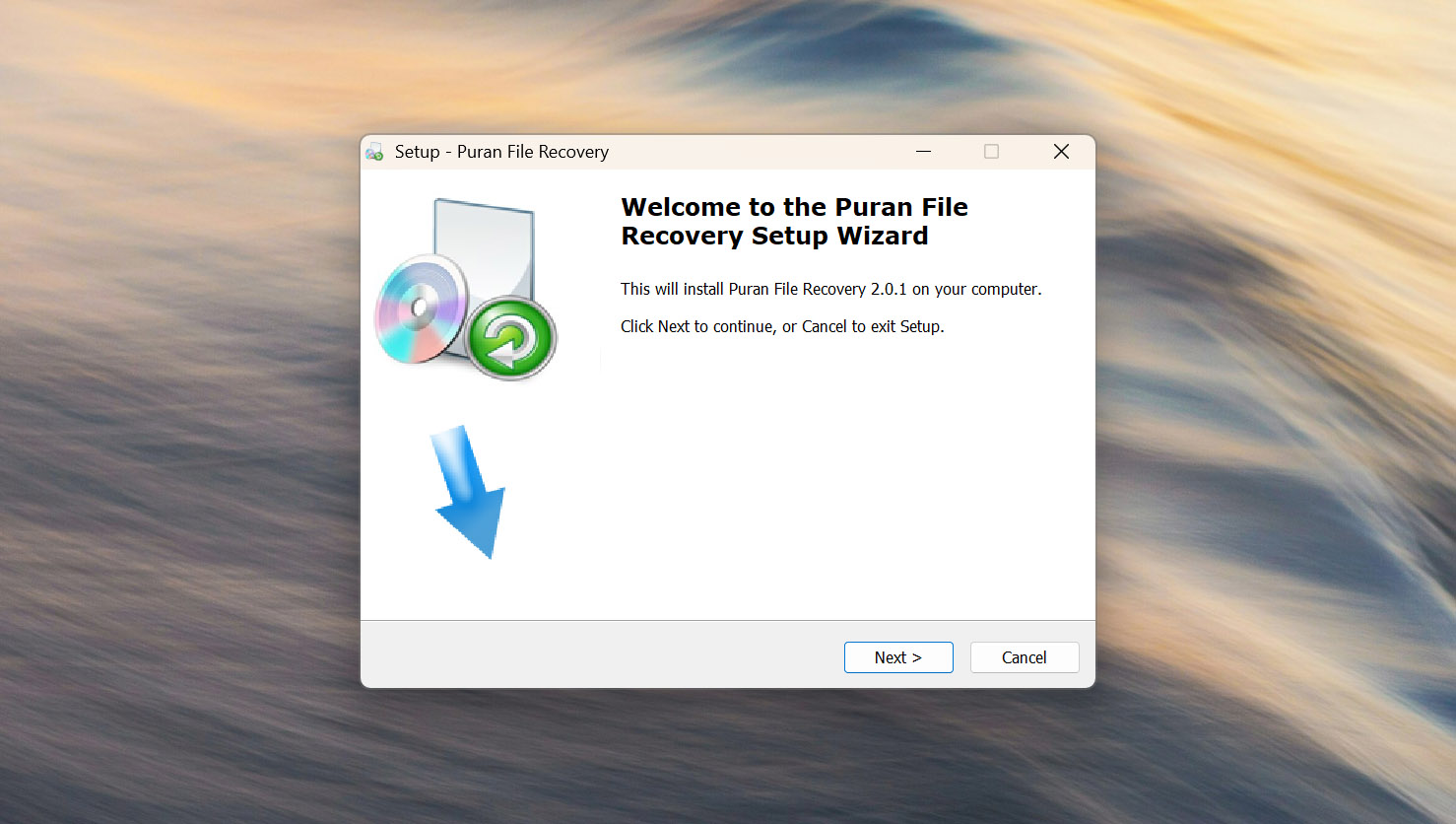
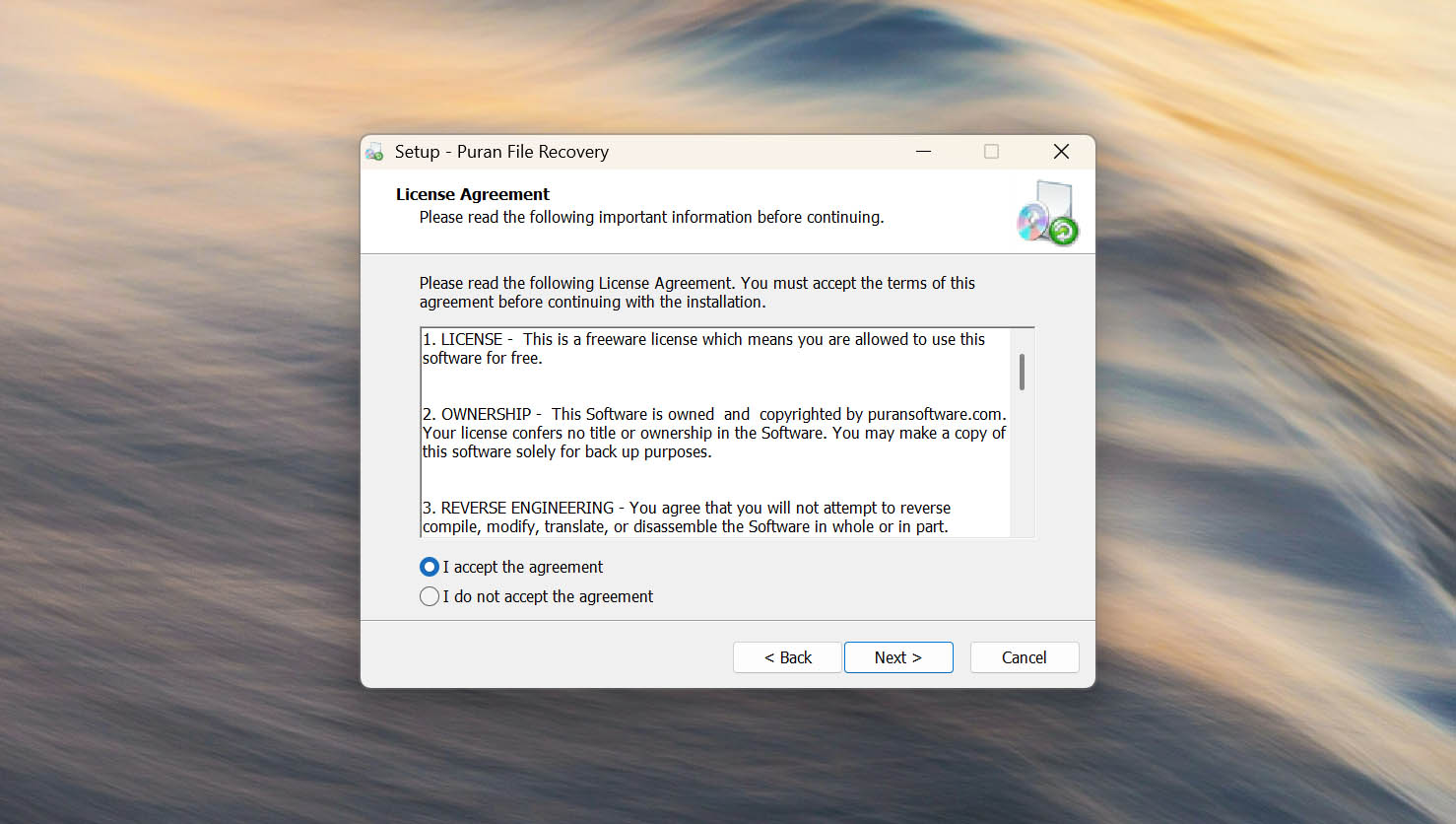
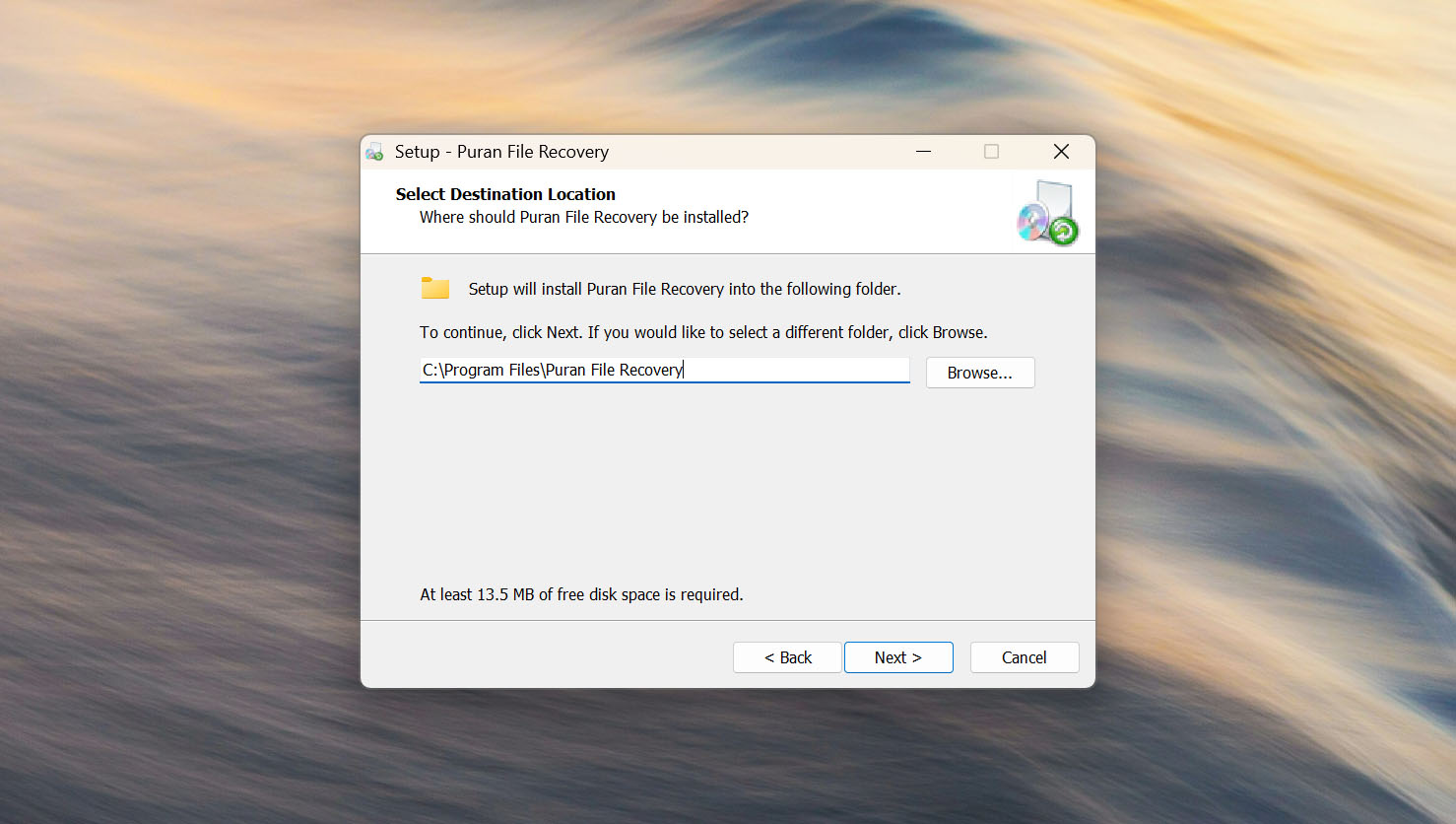
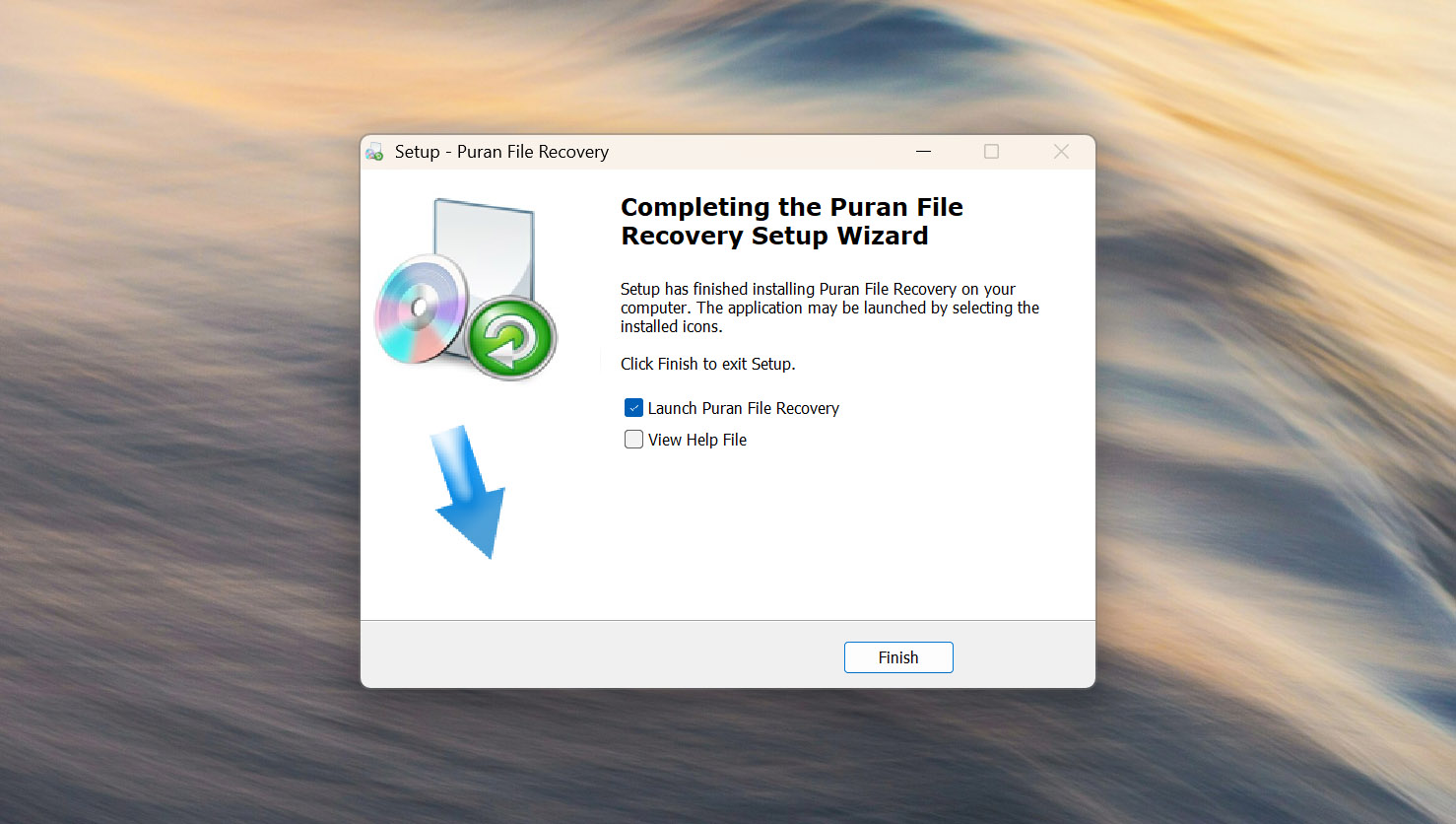
Puran File Recovery has a very small installer, and the installation process is simple. After downloading the program from the official Puran Software website, you only need to launch the setup file, accept the license agreement, choose the installation location, and complete the installation.
A portable version is also available. This can be a better choice for data recovery because it allows you to run Puran File Recovery without installing it on the drive from which you need to recover files.
Source selection
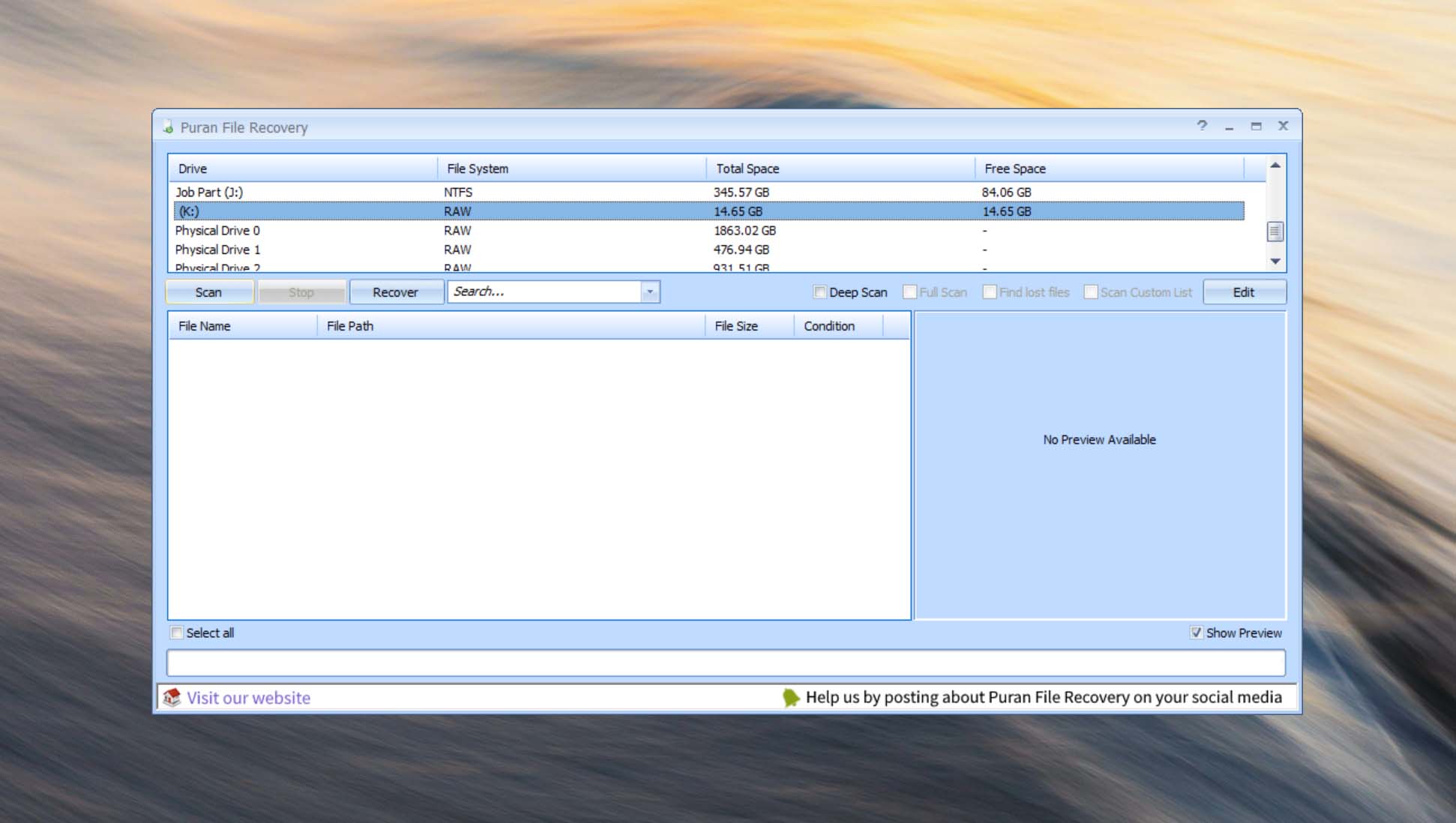
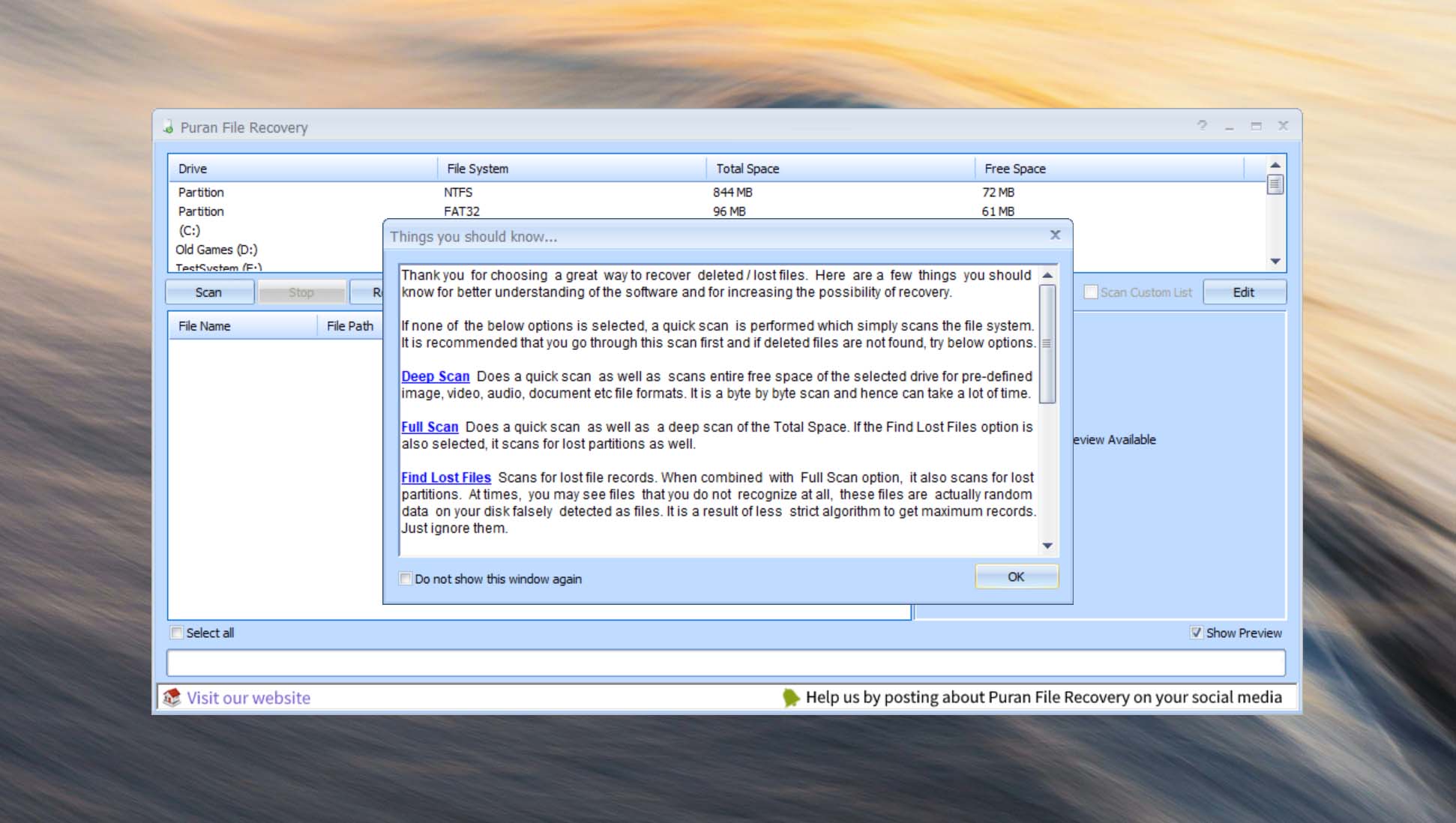
When you launch Puran File Recovery, the main window displays the storage devices and partitions detected by Windows. Select the volume you want to recover data from before configuring the scan.
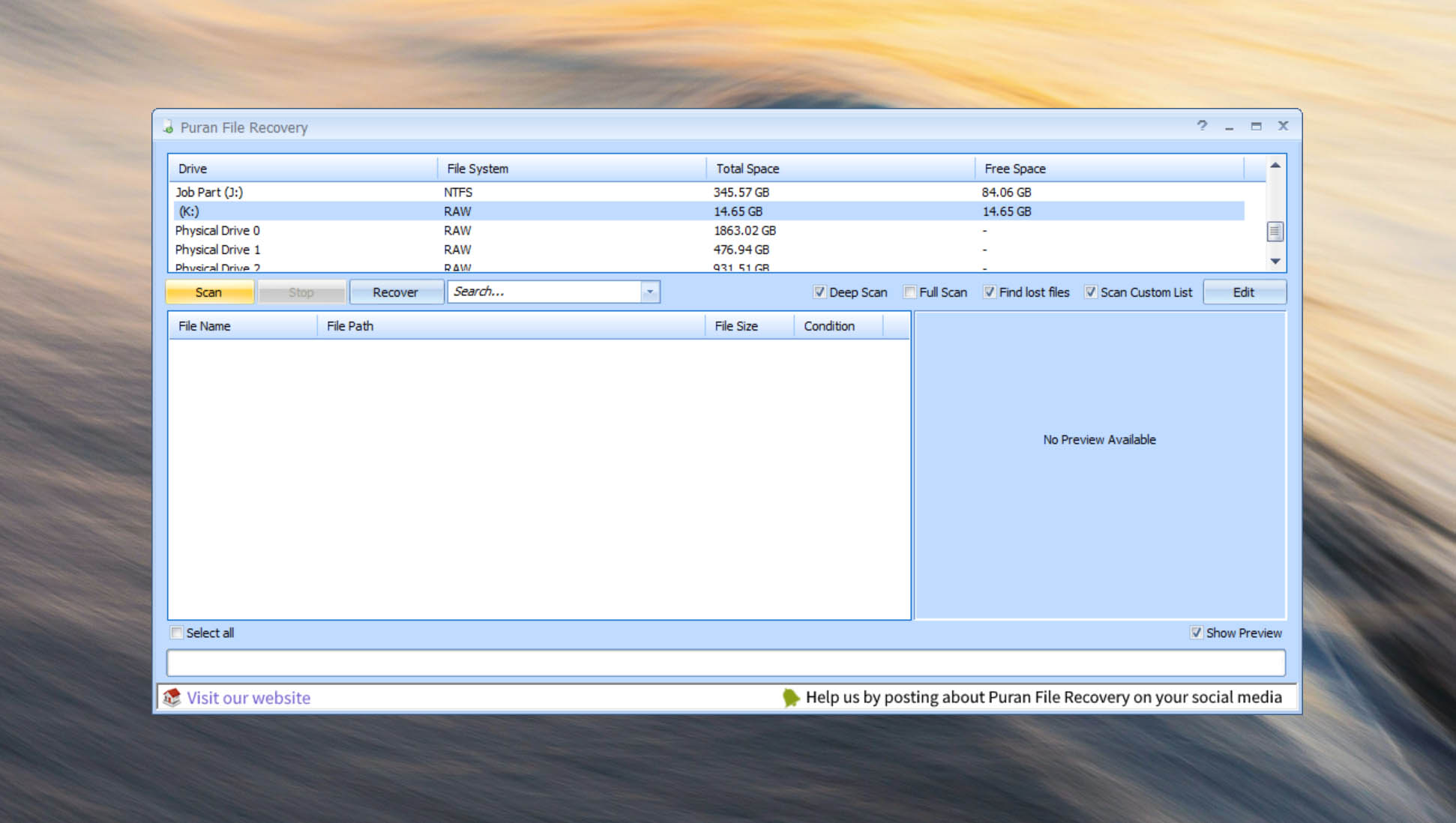
Puran File Recovery gives you several options that affect how thoroughly the selected drive will be searched. Deep Scan performs a more extensive search, while Full Scan searches for files based on their contents and can be used when the normal scan doesn’t find what you need.
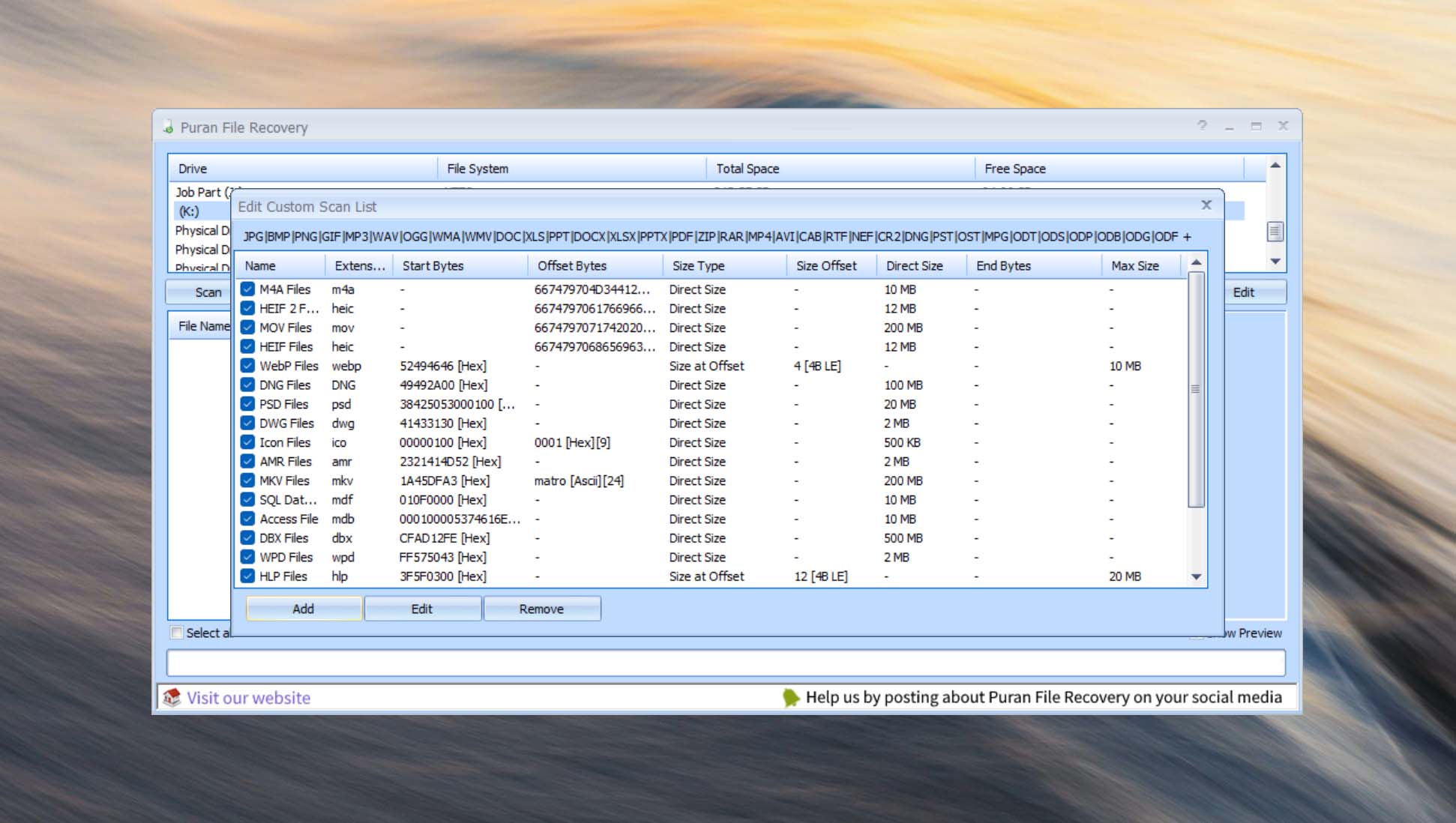
The program also lets you select which file formats should be included in a Full Scan. This is a useful addition if you are looking for a particular type of data and don’t want the scan to search for every supported format.
Once the source and scanning options are configured, click Scan to begin.
Scanning process
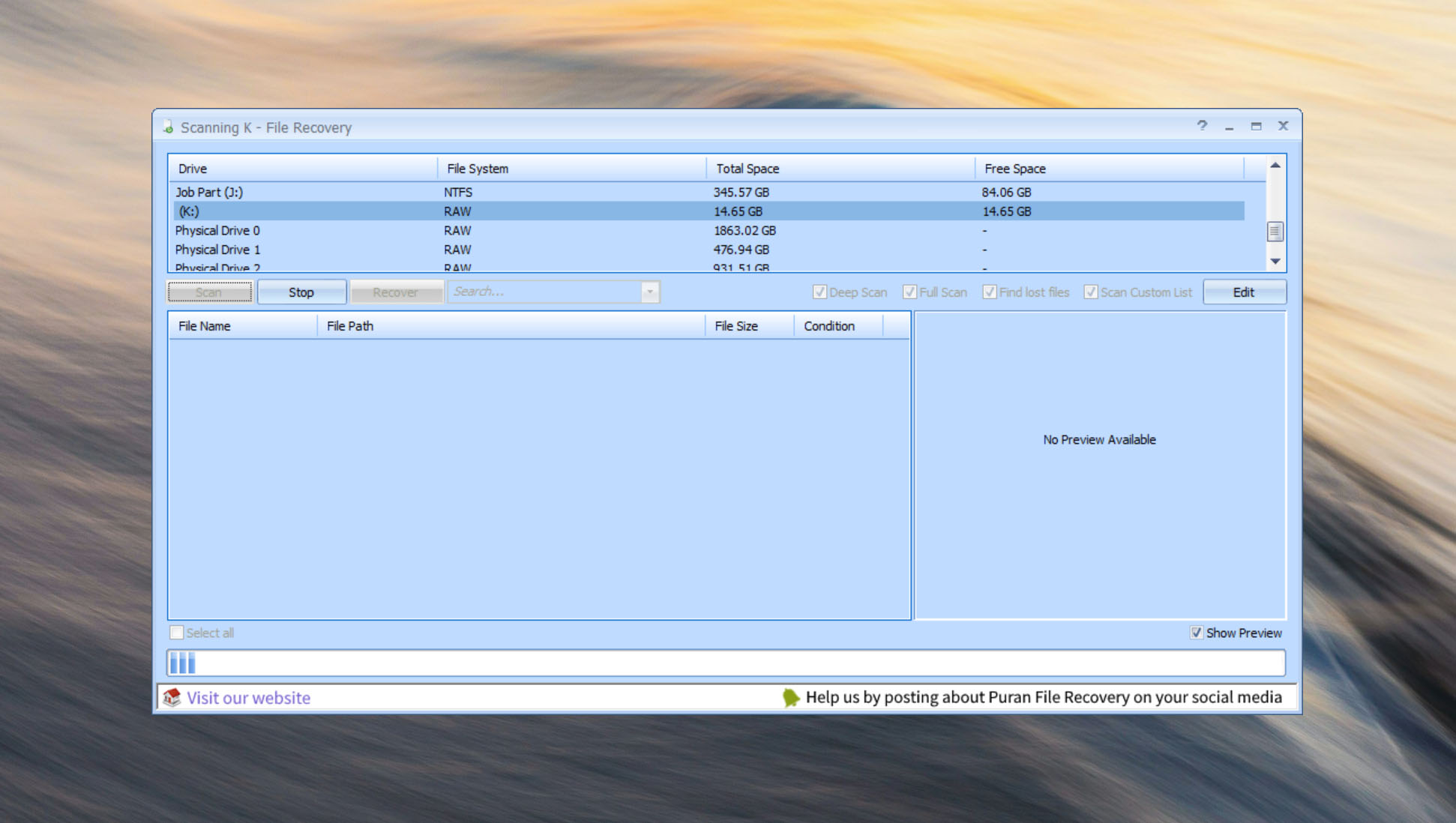
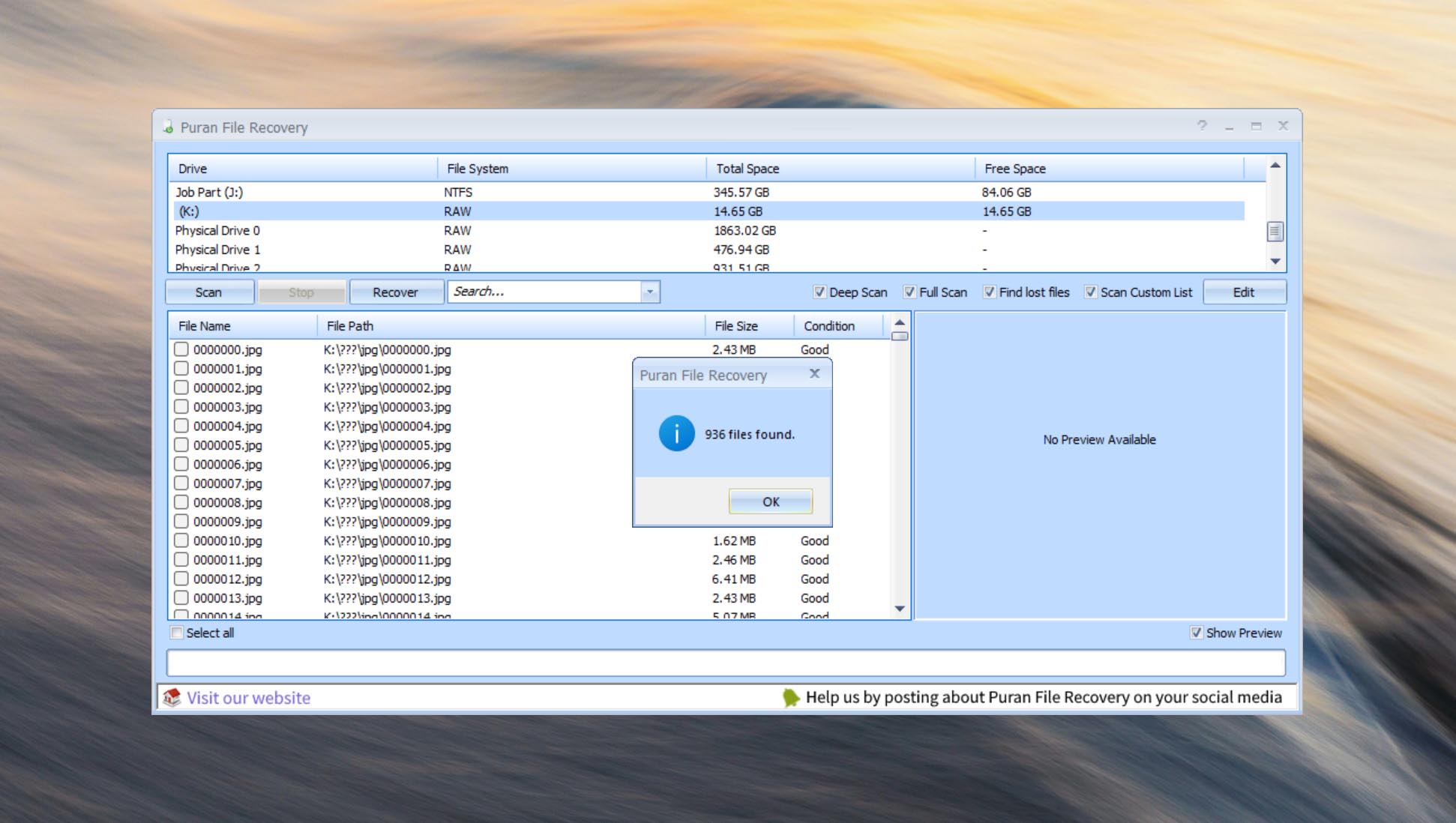
Puran File Recovery provides only basic information while a scan is running. You can see its progress and the number of files being found, but the program doesn’t display how long the scan has already been running or estimate how much time remains.
Another limitation is that scan results aren’t available until the process is finished. Unlike recovery applications that populate their results in real time, Puran File Recovery doesn’t let you browse found files, preview them, or begin recovering data while the scan is still running.
As a result, you need to wait for the entire scan to complete before you can determine whether the files you need have been found.
Managing found files
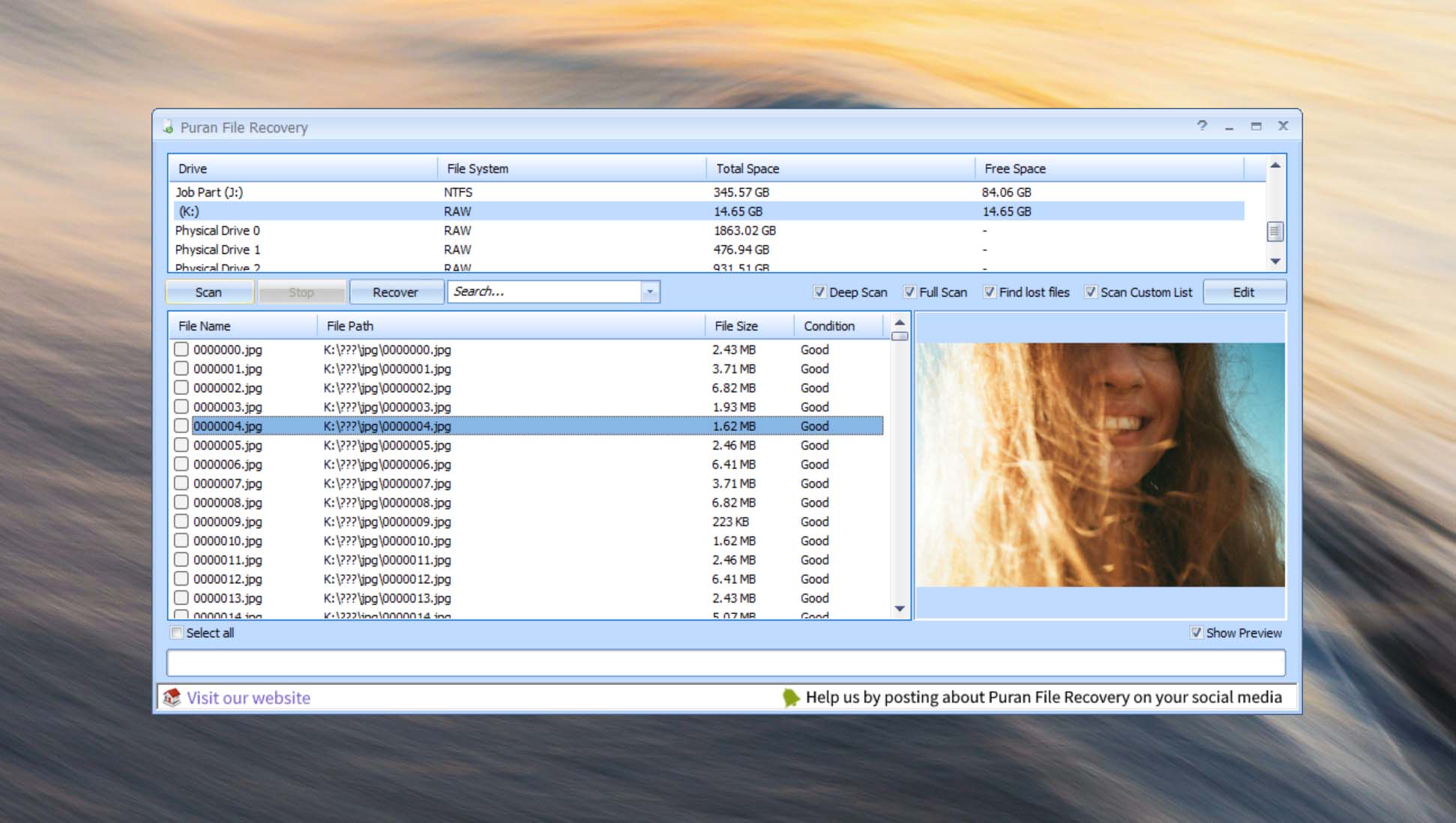
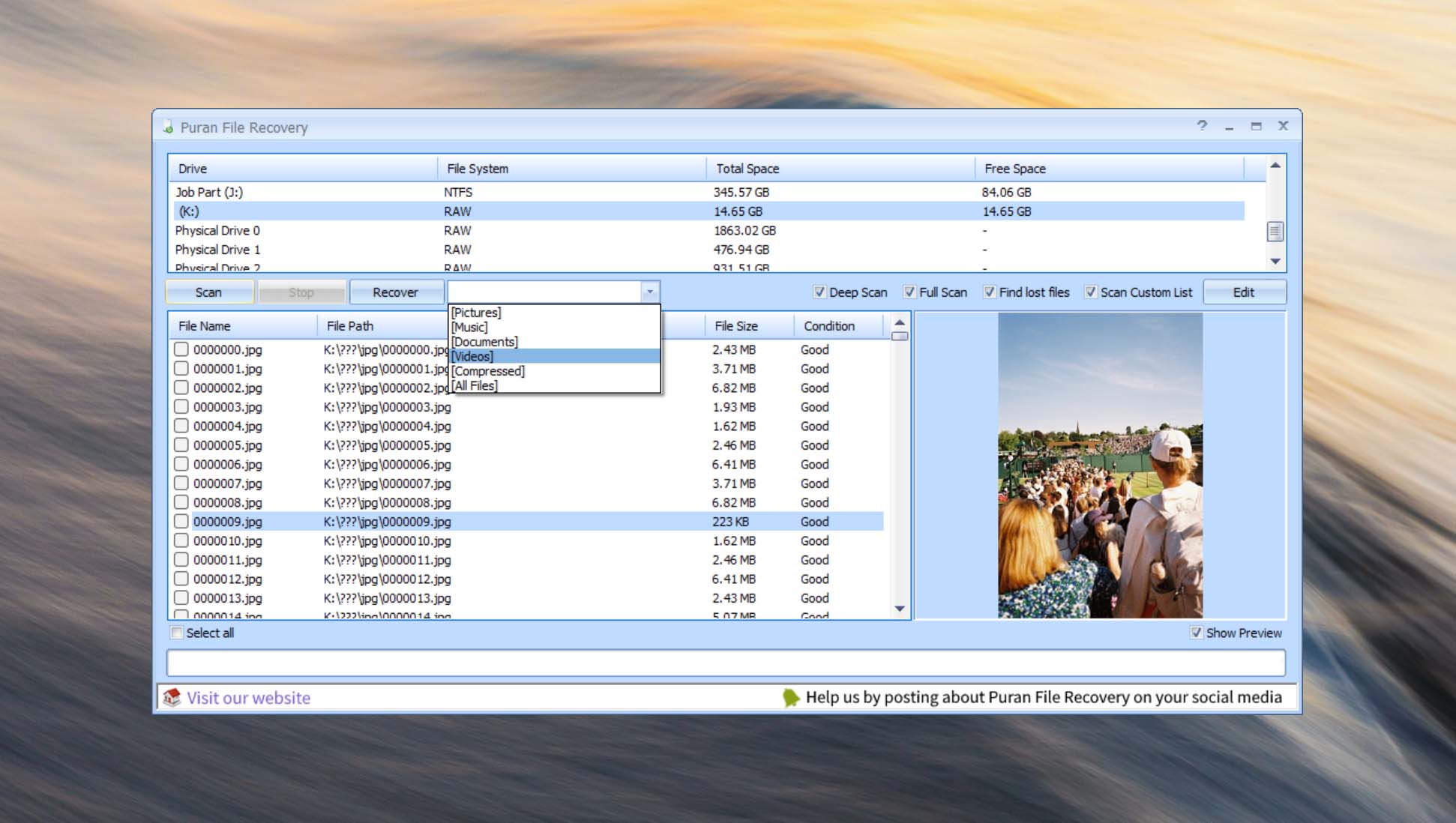
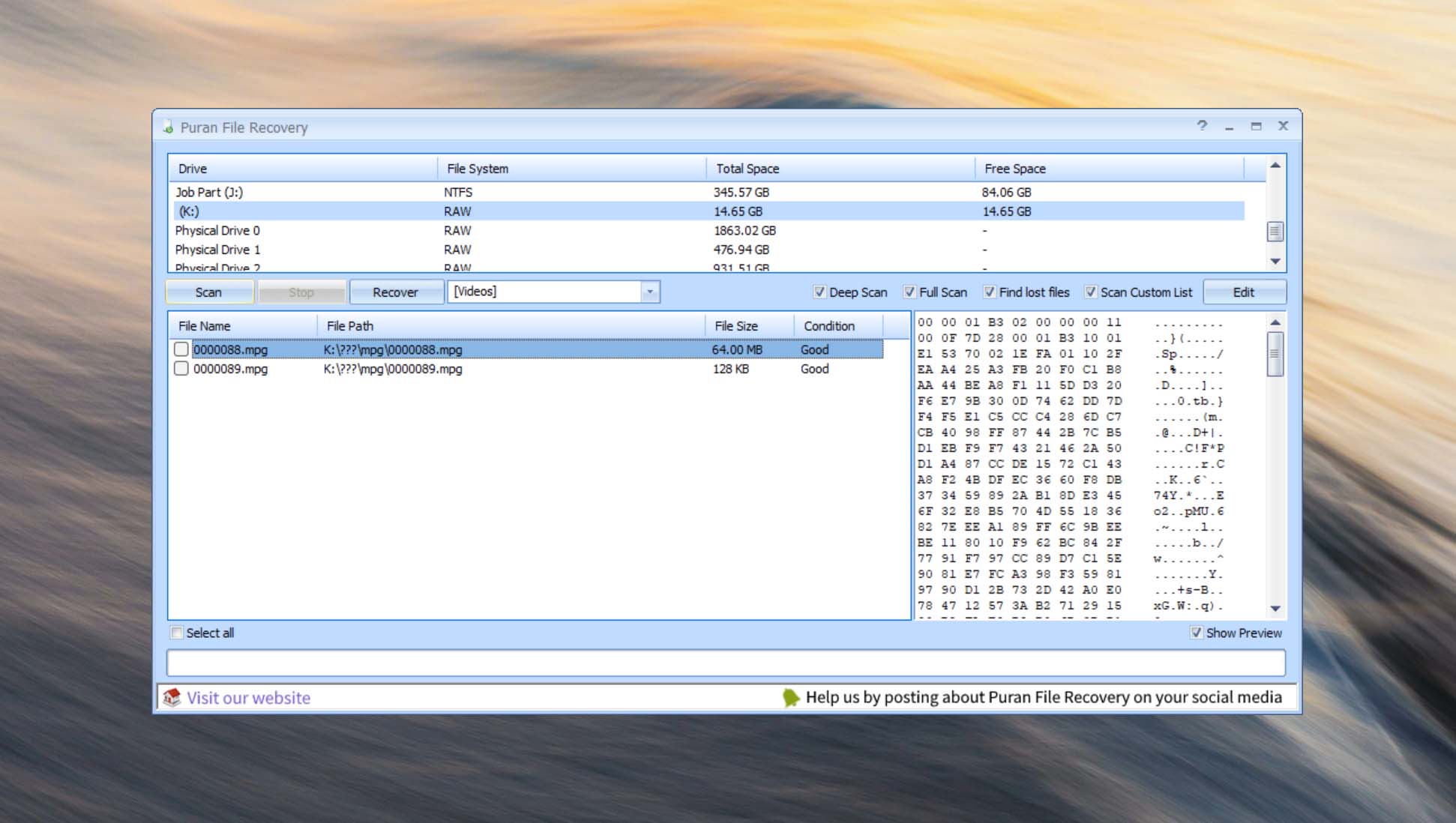
Once scanning is complete, Puran File Recovery displays the discovered files in its main window. You can browse the results and use the available search and filtering options to narrow them down instead of manually going through every item.
The program also provides file previews for supported formats. This makes it possible to inspect a file before recovery and can be particularly helpful when filenames or folder information are missing.
Result management is functional, but relatively basic compared with modern commercial recovery software. The interface relies heavily on lists and traditional Windows controls rather than providing a more visual way to browse large numbers of recovered photos and other media.
Recovery and post-processing
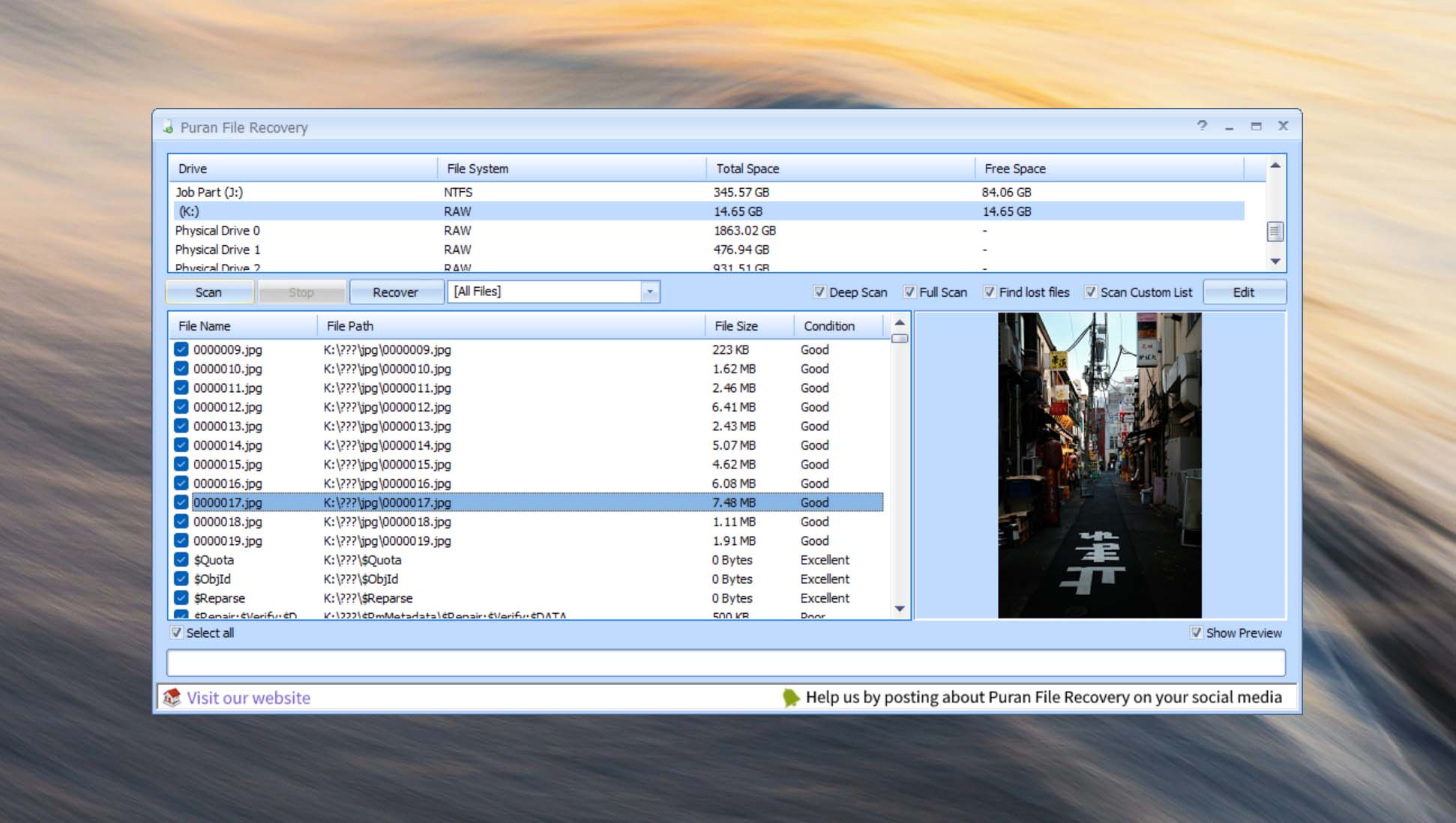
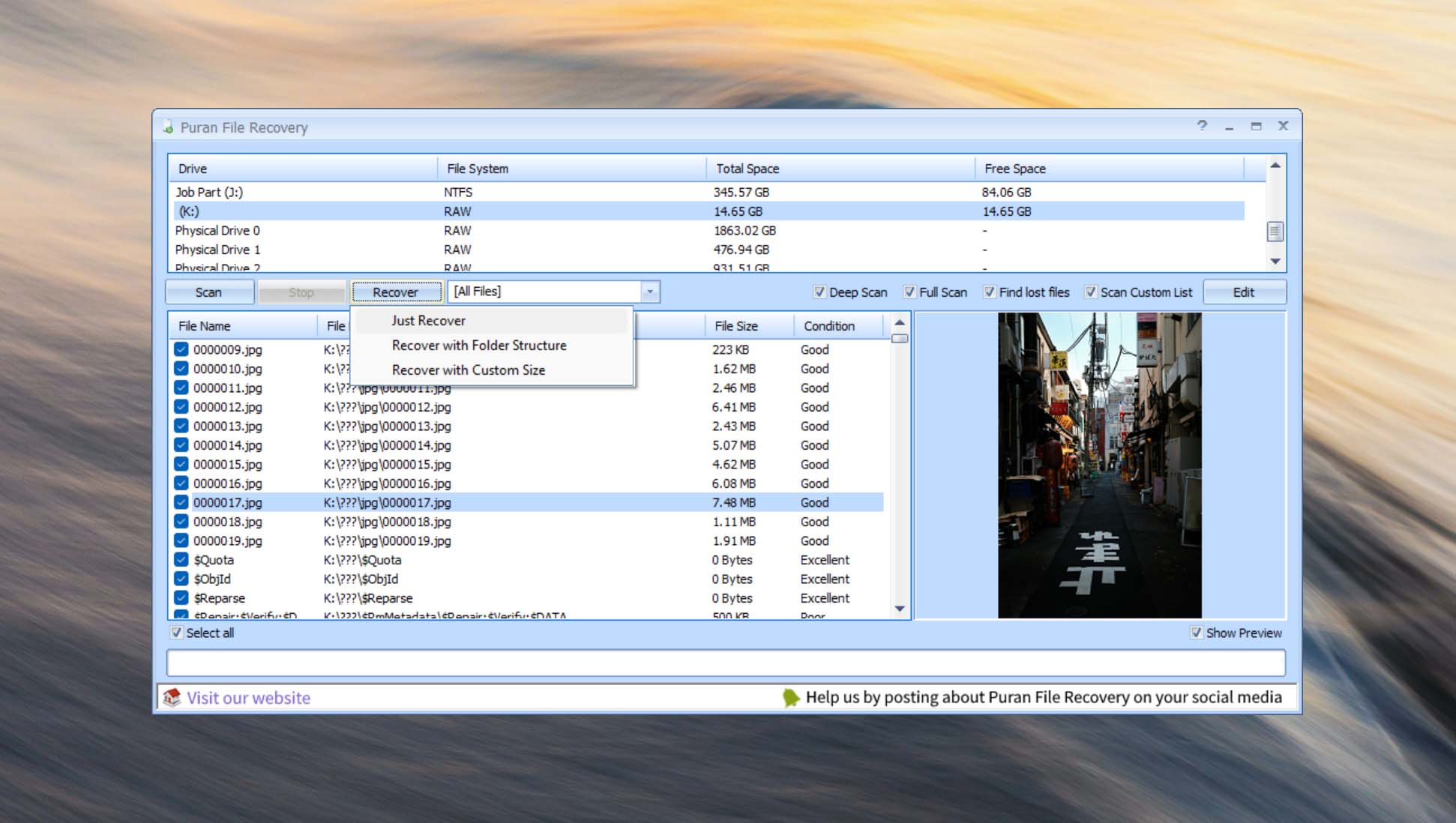
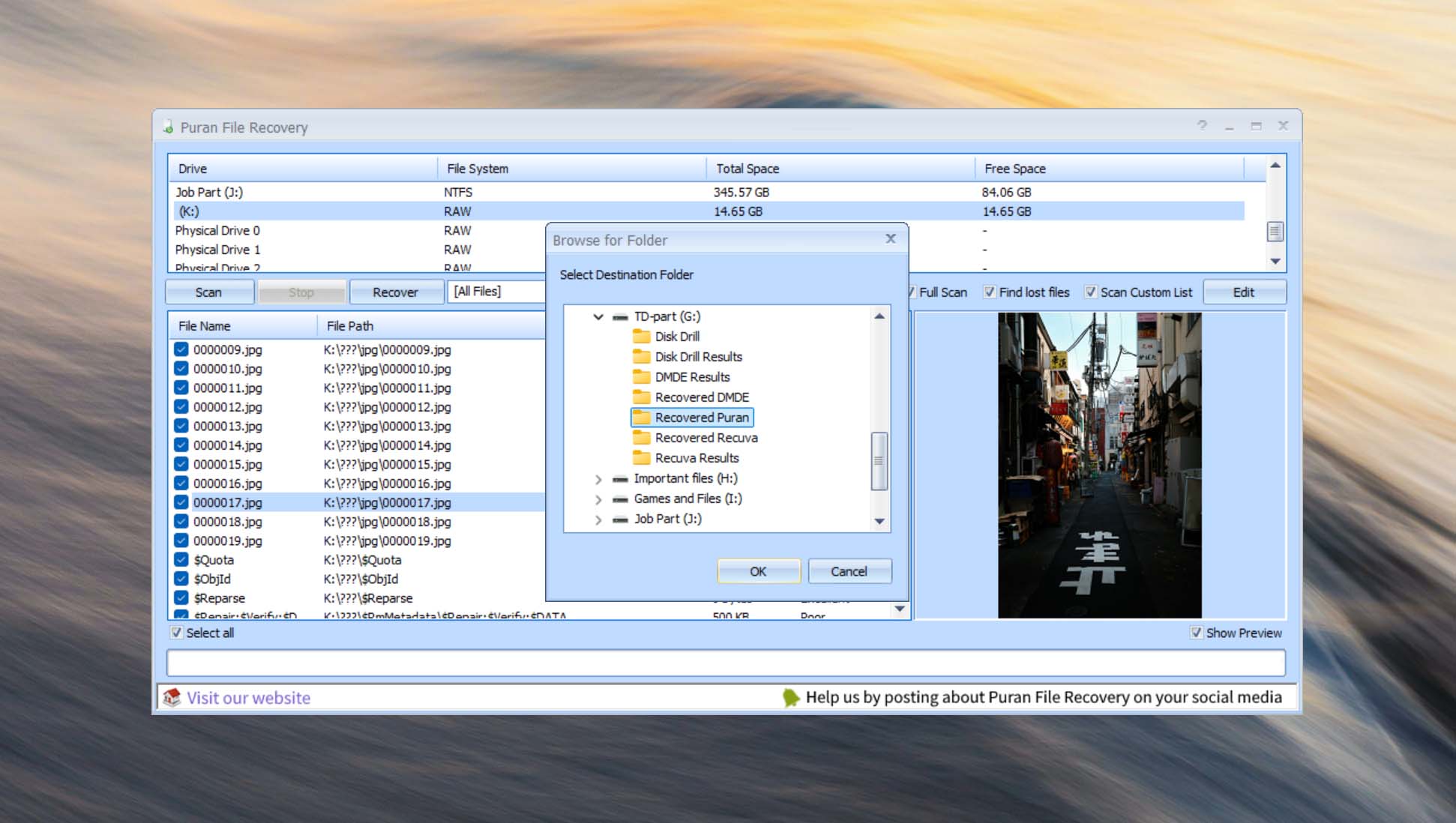
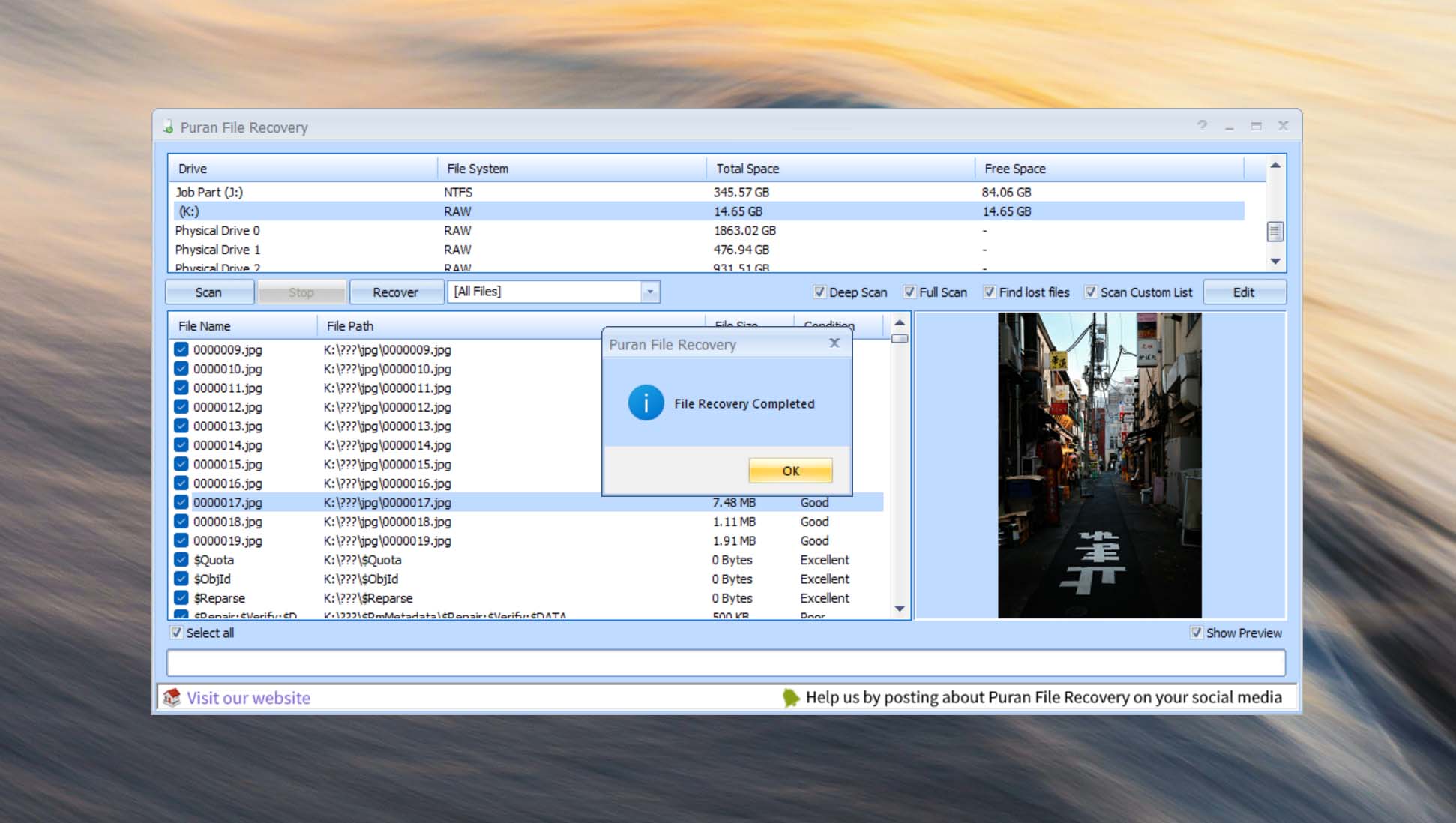
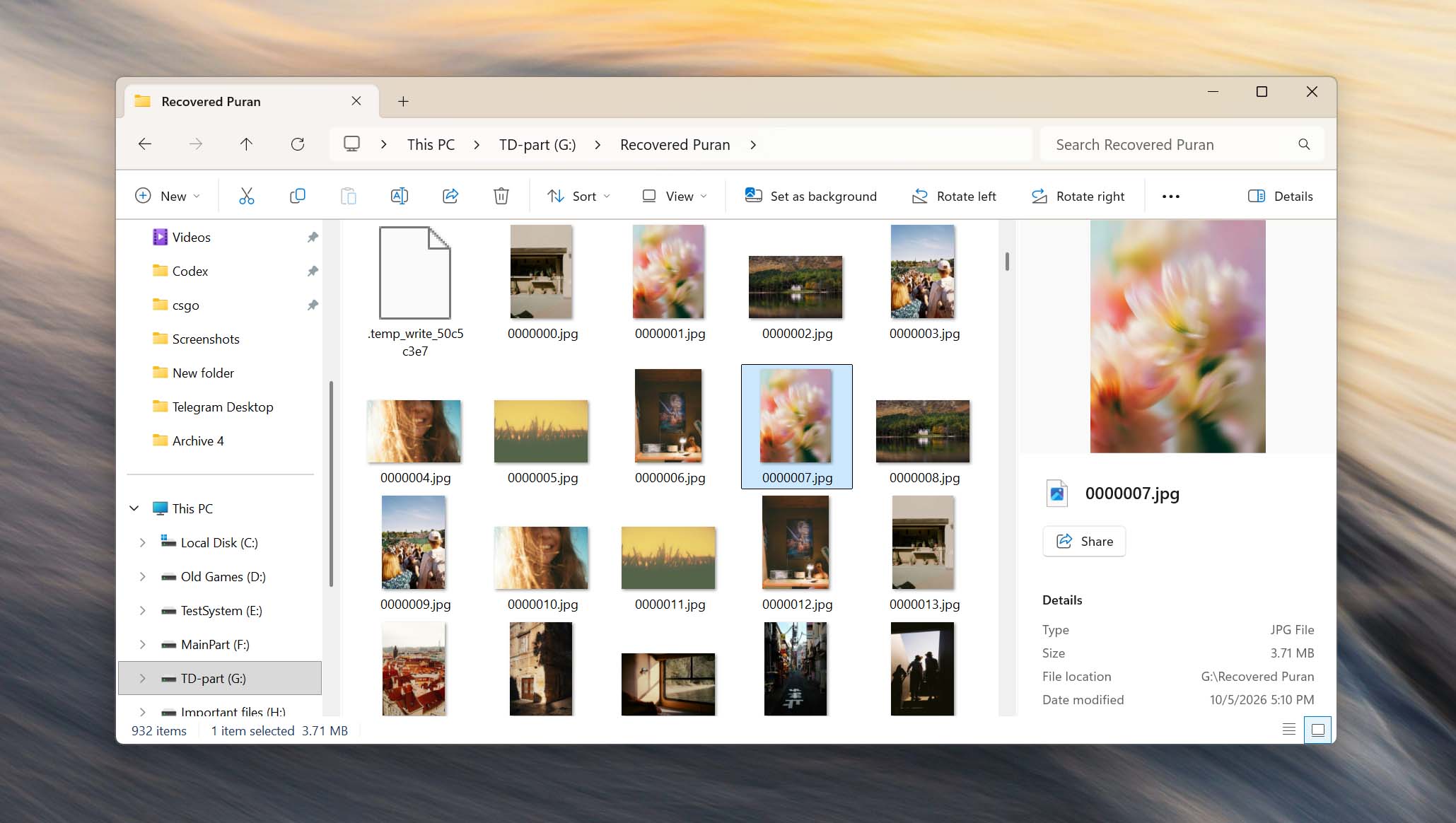
After locating the files you want to restore, select them and click Recover. Puran File Recovery then asks you to choose a destination for the recovered data.
You should save recovered files to a different storage device rather than the same drive being scanned. Writing new data to the source drive can overwrite other deleted files that haven’t yet been recovered.
Once the recovery process is complete, you can open the destination folder in File Explorer and check the recovered files. Puran File Recovery doesn’t include many additional post-recovery tools, so further organization and verification of the recovered data needs to be done manually in Windows.
Ability of Puran recovery software to allow the user on choosing the location from which he/she wants to recover data from, either from an individual hard drive or from all the hard drives makes it the best recovery software of choice. It also provides the user with an intuitive user interface for ease of use. Running a deep scan may take longer time than required. It also doesn't work on other platforms such as Linux, thus only available to Windows users. I highly recommend Puran File recovery to anyone out there who is stranded or confused on recovering lost data. Puran file recovery guarantees a high percentage success.
Nelson M. (g2.com)
It sometimes has inconsistency in terms of the condition of the file, since I have tried to recover files that are displayed have excellent condition, however, at the time of recovery the file is in very bad condition or even does not work.
Manuel T. (g2.com)
The interface of Puran File Recovery still seems old, which may not be very understandable for beginners.
Houenagnon Jules Vitale H. (capterra.com)
Final Verdict
Puran File Recovery for Windows is a capable data recovery application that offers particularly good value because it is completely free and places no limits on how much data you can recover. It provides multiple scan modes, file type selection, file previews, and a portable version, while keeping the basic recovery process relatively simple.
However, the software shows its age in everyday use. You can’t browse or recover found files until a scan is complete, and there is no elapsed time or estimated time remaining. Puran File Recovery also lacks additional recovery features such as byte-to-byte disk imaging, which makes it a less suitable choice for unstable or failing storage devices.
Overall, our Puran File Recovery review found it to be a useful option for recovering deleted files from healthy Windows-compatible storage devices. It lacks the polished interface and additional tools of newer alternatives, but unlimited free recovery makes it an attractive choice for simpler recovery jobs.
Video Tutorials and Setup Guides for Puran File Recovery
Frequently Asked Questions
Let’s answer some commonly asked questions about Puran File Recovery.
Is Puran File Recovery free?
Yes. Puran File Recovery is completely free to use for everyone. There are no recovery limits that restrict how much data you can restore, so you don’t need to purchase a license to complete a recovery.
Is Puran File Recovery safe?
Yes, Puran File Recovery appears to be safe when downloaded from the official Puran Software website. It doesn’t require an account or registration, and we found no indications of malware during our research. However, it doesn’t include a byte-to-byte disk imaging feature, so we wouldn’t use it directly on an unstable or physically failing drive.
Does Puran File Recovery work on Windows 11?
Yes. The current version of Puran File Recovery works on Windows 11. The software is designed specifically for Windows, so there are no native macOS or Linux versions.
Can Puran File Recovery recover permanently deleted files?
Yes, potentially. Puran File Recovery can search for files that have been permanently deleted and are no longer available in the Recycle Bin. Whether they can actually be recovered depends largely on whether their original data has been overwritten. Once the relevant storage space has been overwritten with new data, software recovery is no longer possible.
Can Puran File Recovery recover files from a formatted drive?
Yes, Puran File Recovery can search a formatted drive using its deeper scanning options. The chances of recovery depend on the type of formatting, what has happened to the drive since it was formatted, and whether the original data remains on the storage device. Recovery should be attempted before writing new files to the drive.
What file systems and storage devices does Puran File Recovery support?
Puran File Recovery supports FAT12, FAT16, FAT32, exFAT, and NTFS file systems. It can be used with Windows-recognized storage devices such as internal and external hard drives, USB flash drives, memory cards, and other compatible storage media. It doesn’t provide native support for file systems such as APFS, HFS+, or EXT.
👌 Satisfactory
Out of 5 Total score
No. 23 Among all Windows solutions
Puran File Recovery is a completely free Windows recovery tool that remains useful despite its dated interface and limited feature set.

The Windows version of Disk Drill empowers regular users to reliably recover all kinds of lost data with a few simple clicks.

Despite its usability concerns, UFS Explorer demonstrates a proficient ability to recover data with great success.

R-Studio for Windows is a powerful data recovery software application, but regular home users may struggle to master it and put its capabilities to good use.

Easy to use and capable of delivering solid results, EaseUS Data Recovery Wizard is good at what it does.

Cisdem Data Recovery is well-suited for recovering data from a multitude of data loss scenarios, but it won’t satisfy professionals and technicians.

- 32 publishings
- Atlanta, GA
Jeff Cochin is a data management and recovery professional, who has been with Pandora Data Recovery Mentor for nine years and has always been an essential part of the team. Jeff also works as a technical writer at Macgasm, being a first hand in testing, trying and writing about big and small tech software.

- Houston, Texas, United States
Nikolay Lankevich has over 15 years of strong experience in various fields and platform includes Disaster Recovery, Windows XP/7. System analysis, design, application (Inter/Intranet) development, and testing. Provided technical supports on desktop and laptops on Win-XP and Macintosh for about 2000 employees.
What Users Say about Puran File Recovery for Windows